Etsy Bookkeeping Made Simple: How I Organize Income, Expenses and Receipts
I opened my Etsy shop just six days ago, so I’m by no means an expert. Still, I wanted to get the bookkeeping side of things organized right from the start. Good record-keeping makes tracking sales, managing expenses, and preparing for taxes much easier as your shop grows. Below is the simple, old-school system I’m using to organize my Etsy bookkeeping and receipts. It’s practical for a very small shop and easy to scale up as revenue increases.
Why start simple?
When you’re new to selling on Etsy, the business paperwork can feel overwhelming. Missing receipts and unrecorded transactions are the biggest headaches for me, and I’ve learned from past direct-selling experience that a predictable, consistent system prevents those problems. A basic physical filing method is low-cost, dependable, and quick to set up. It also makes it easy to hand everything to an accountant or transfer records into software later on.
What you need
- 12 labeled file folders (one for each month)
- Monthly income and expense worksheet (printed)
- Pen and a simple receipt envelope in each folder
- Optional: a small scanner or smartphone receipt-scanning app for digital backups
My step-by-step system
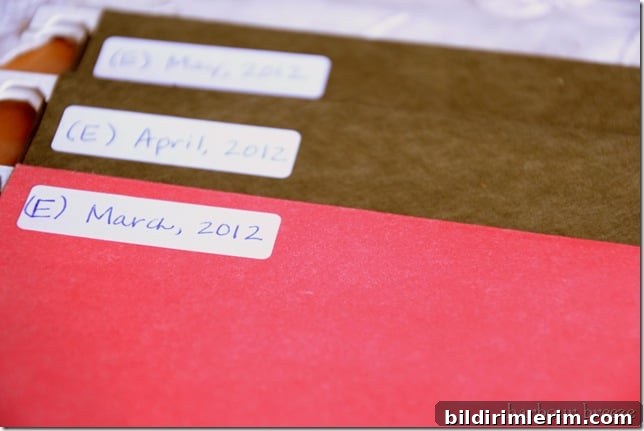
1. Label 12 file folders with each month of the year. I put an “E” in front of the month to indicate Etsy-specific paperwork, which helps keep business records separate from personal records.
2. Place a monthly income and expense worksheet in each folder. Use the sheet to record sales, Etsy fees, shipping income and costs, supplies purchased, advertising, and any other business-related expenses. A simple two-column layout—one column for income and one column for expenses—works well for small shops.
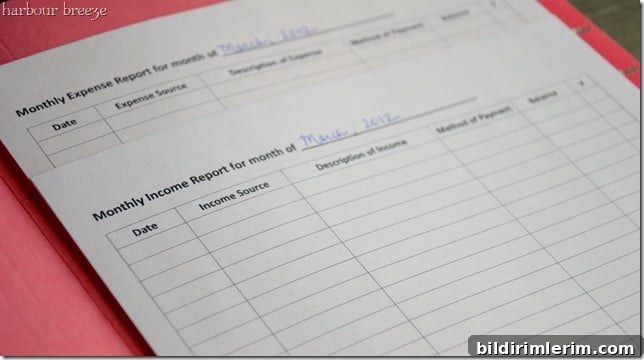
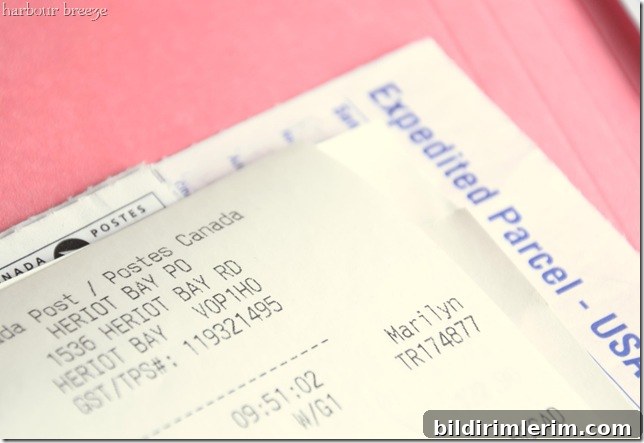
3. Record transactions as they happen. Write the date, a brief description, and the amount in the appropriate column on the worksheet. Immediately place any physical receipts or invoices into that month’s folder. If the transaction is digital (Etsy fees, payment processor fees), print or save a PDF of the statement and file it in the folder.
Additional practical tips for Etsy bookkeeping
- Track all income types: item sales, shipping charged to customers, and refunds. Record Etsy platform fees and payment processing fees as expenses.
- Save receipts for supplies (paper, packaging, labels), tools, shipping supplies, and any advertising costs. Categorize them so you can see where money is going.
- Consider keeping a separate bank account or a dedicated business credit card for Etsy transactions to simplify reconciliation.
- Scan receipts regularly and store digital copies in a cloud folder organized by month in case physical receipts fade or get lost.
- Reconciling: once a month, compare your folder’s worksheet totals to your bank and Etsy statements to ensure everything matches.
- As your shop grows, consider migrating to a spreadsheet or accounting software that can import transactions. This filing system makes a clean transition to digital bookkeeping because you already have organized monthly records.
Final thoughts
Right now my shop is tiny, so this simple filing and worksheet approach covers everything I need. It keeps receipts easy to find, prevents that last-minute scramble to locate paperwork, and builds good habits. If your shop starts to grow and your volume of transactions increases, this system is a solid foundation to expand into spreadsheets or dedicated accounting tools. For a new Etsy seller, starting deliberately with a clear, consistent process makes managing sales and expenses much less stressful.