
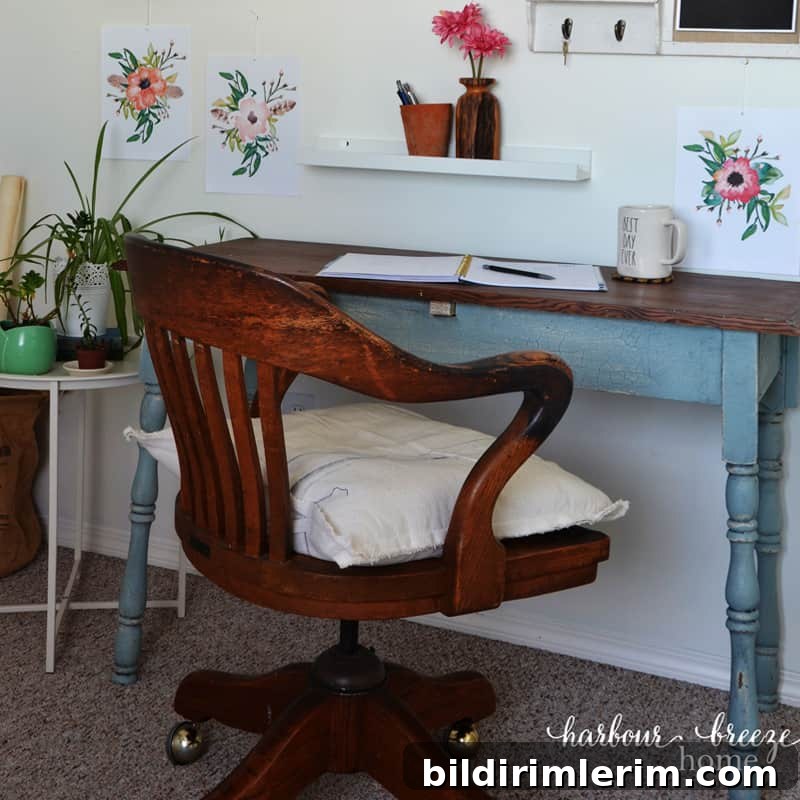
Have a work-from-home office running in no time with these six simple tips and essential pieces of equipment. You’ll enjoy working in your refreshed space!
As a home decor blogger in a modest-sized home, I’ve spent years figuring out how to make a functional and attractive work from home office. Over time I experimented with many layouts and storage solutions, and discovered that a productive workspace doesn’t require a lot of square footage or expensive gear.
Here are six practical tips to get your home office setup up and running quickly, plus the essential equipment and organization ideas that make remote work easier and more enjoyable.
Tips for a Home Office Setup You’ll Love
Disclosure: This post previously referenced product recommendations for convenience. Links have been removed in this version.
Choose a flat surface you love and make it your desk
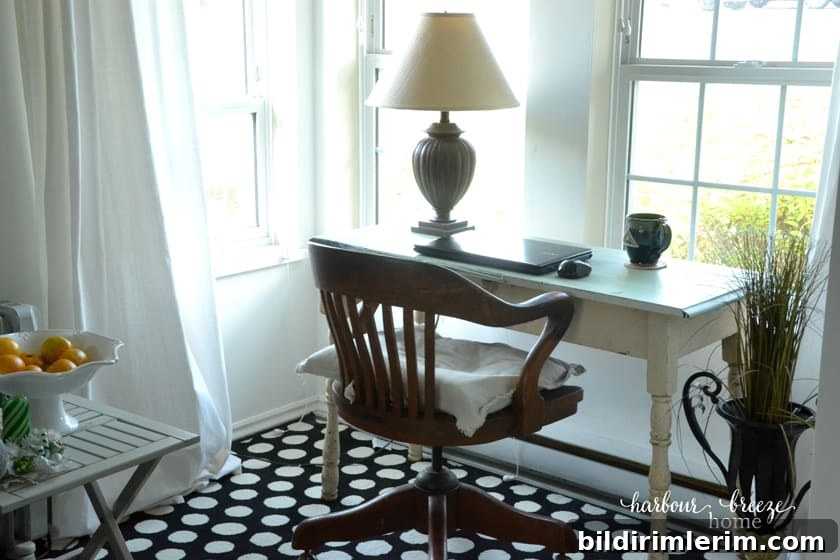
You don’t have to rush out and buy a desk. Any flat surface that fits the space will work—an antique table, a console, or a clear corner of a dining table can serve as your workspace. The goal is a surface that feels comfortable, is the right height for you, and leaves room for the tools you use daily.
Think about your back when choosing a chair
If you’ll spend long stretches at your workstation, a supportive chair is essential. Proper posture prevents back and neck pain and improves focus. Look for a chair with good lumbar support and an adjustable height so your feet rest flat on the floor. If your chair leaves your feet dangling, use a small stool or footrest to stabilize posture. Even a simple dining chair paired with a lumbar pillow can be a functional short-term solution, but investing in an ergonomic office chair is a smart long-term move.
Claim a dedicated space for focused work
Having a dedicated workspace—whether it’s a separate room, a corner of a bedroom, or a spot in the living room—makes a big difference in productivity. When possible, convert a spare room into a home office. If space is limited, tuck your desk near a window or along a wall and use shelving or a bookcase to contain supplies and visually define the area.
When our household had more room, we each set up offices in spare bedrooms. Before that, my desk lived in the central hub of the home; it still worked well, but required thoughtful organization to keep work materials tidy and out of the way when not in use.
Invest in key home office equipment
To work efficiently from home, consider a few essential pieces of equipment:
- Reliable internet and, if needed, a wi-fi range extender to improve signal strength in your workspace.
- A multifunction printer/copier/scanner to handle printed documents and scans.
- A dependable computer or laptop that suits your work tasks.
- A small secondary device like a tablet or smartphone for video calls, quick reference, or mobile testing.
- An external hard drive or cloud backup solution to protect important files and photos.
Plan ahead for remote meetings and video calls
Video meetings are now commonplace, so plan your setup to look and sound professional. Here are simple, practical tips:
- Use a stable mount or tripod for your phone or tablet so the camera stays steady and your hands are free. A secure mount is a small investment that greatly improves video quality.
- Set up your camera in a fixed position and remain in frame rather than walking around. A stationary setup is more comfortable for viewers.
- Face a light source, preferably a window. If you often record in lower light, consider a small ring light or desk lamp to brighten your face evenly.
- Position your device so you look slightly up at the camera—this creates a flattering angle in most cases.
- Check your appearance before joining live video—small details like clothing and background clutter can be distracting.
Equipment and setup reminders for remote communication
- Stable mounting for device cameras
- Consistent camera placement and lighting
- Comfortable audio—use headphones or an external microphone if the built-in mic is poor
- Test your internet speed and connection before important calls
Organize with practical office supplies
Organization systems reduce clutter and save time. Choose storage and tools that match your workflow. Useful items include:
- Stackable trays for printer paper, receipts, and small supplies
- A desktop file organizer or hanging file to keep contracts, invoices, and reference documents accessible
- A pen and pencil holder to keep writing tools within reach
- An envelope sorter or small caddy for sticky notes and paper pads
- A large wall calendar and a weekly or monthly planner to keep track of deadlines and content schedules
Develop a simple filing routine: incoming papers go into an “action” tray, bills and items to save in a labeled folder, and everything else is recycled or digitized. Clear categories and visible systems prevent paper clutter from piling up.
Add personal touches that make you smile
Small personal touches transform a functional space into one you enjoy spending time in. Add a framed family photo, an inspirational print, a favorite houseplant, or paint an accent wall in a color that boosts your mood. Good lighting, art, and a few meaningful accessories can make your workspace both productive and welcoming.
One simple accessory my family loves is a small desktop globe or decorative object that brings a calm, personal feel to the desk. Choose a few items that reflect your style without crowding your work surface.
For more ideas, become a VIP newsletter subscriber
Subscribe to the newsletter for seasonal ideas, printable resources, and organization tips. Subscribers gain access to a library of free printables including wall art and labels to help you organize your home office.