
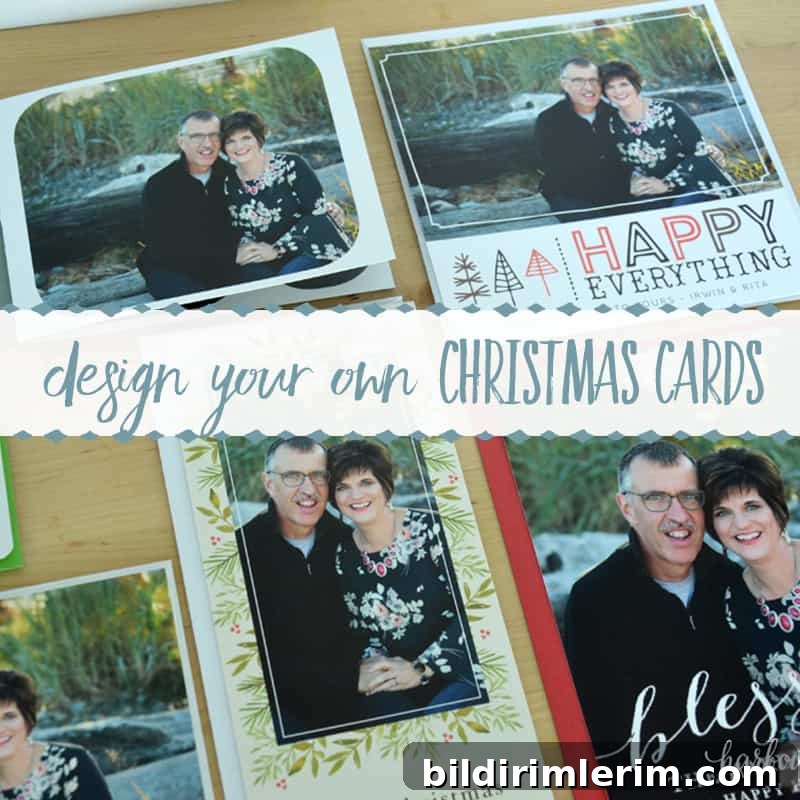
In this article: Learn how to quickly and easily design your own Christmas cards with Basic Invite.
Last week I mentioned that we had professional pictures taken for a special upcoming project. Today’s post reveals that project, and I’m excited to share it with you!
One of my favorite parts of the holiday season is receiving Christmas cards in the mail from friends and family. For me it’s a simple, joyful way to catch up and celebrate the year together.
Last year we moved—twice—and in the chaos our Christmas cards never made it out. This year I wanted to start early to make sure that wouldn’t happen again.
I had never designed my own cards online before, so I was happy to try Basic Invite. The experience was intuitive and enjoyable, and I’ll walk you through the process step by step so you can design your own cards with confidence.
Disclosure: This post was sponsored by Basic Invite. All opinions and reviews are honest and my own.
How to design your own Christmas cards with Basic Invite
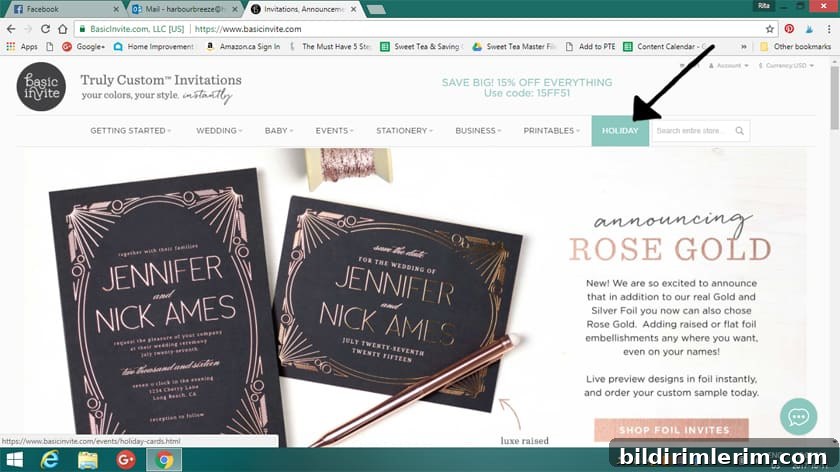
1. Choose a holiday design
Start by browsing the holiday or Christmas card section on Basic Invite. With hundreds of designs available, one of the biggest decisions is simply choosing the layout and style that suits your family and photos. Pick a design that catches your eye and open the template to begin editing.
2. Upload and place your photos
Inside the template editor look for the “Edit Photos” or similar option. Click to show editable photos, then click directly on the image area in the preview to upload. Select the photo file from your computer and open it. You can drag the image to adjust framing and position until it looks just right, then save your placement.
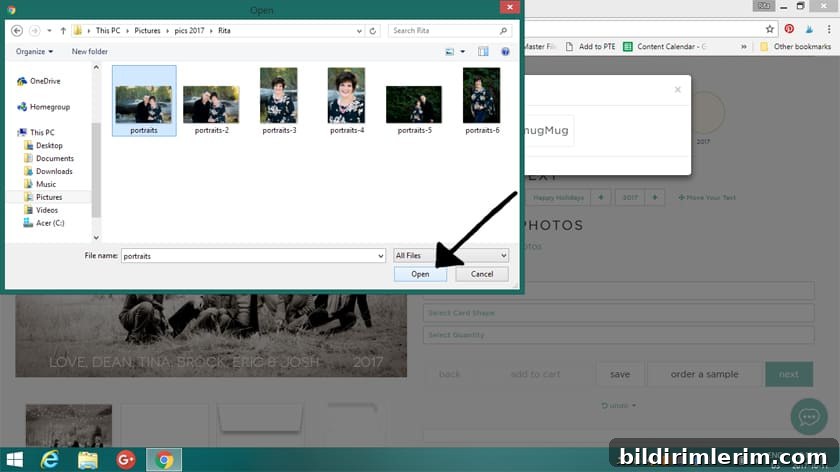
Fine tune the crop and alignment, then click “Done” to insert the image into the card.
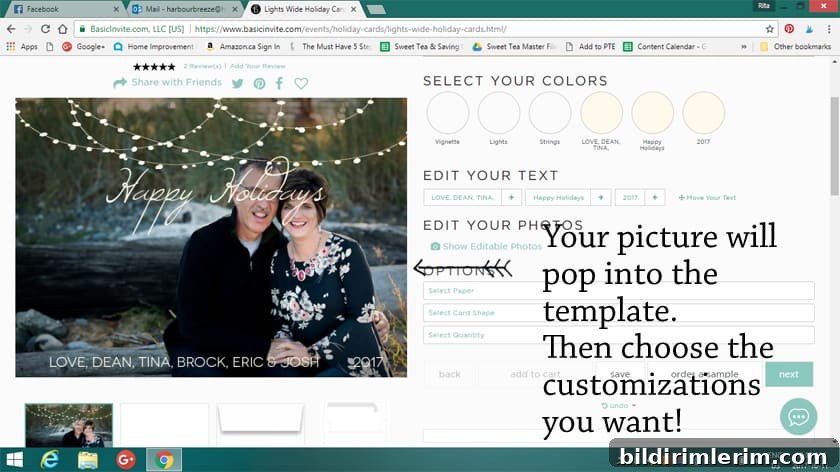
3. Customize text and fonts
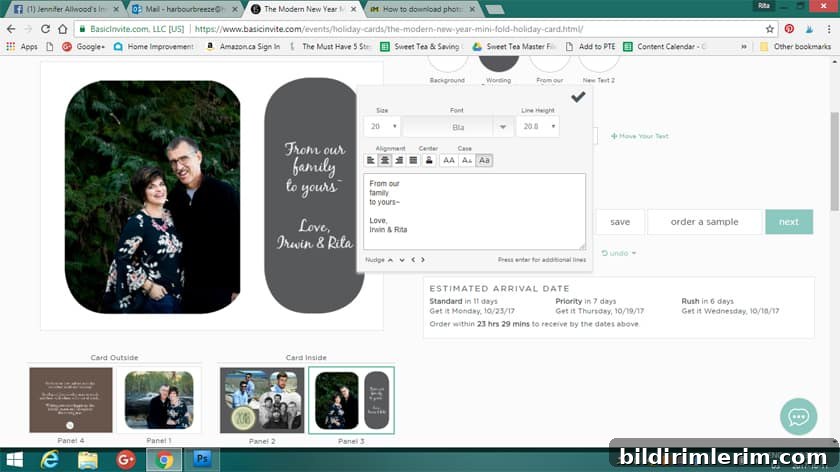
To edit text, click the text box in the preview, then type your greeting or family name. You can drag text elements to reposition them. The editor lets you change font style, size, line height, and alignment to achieve the look you want.
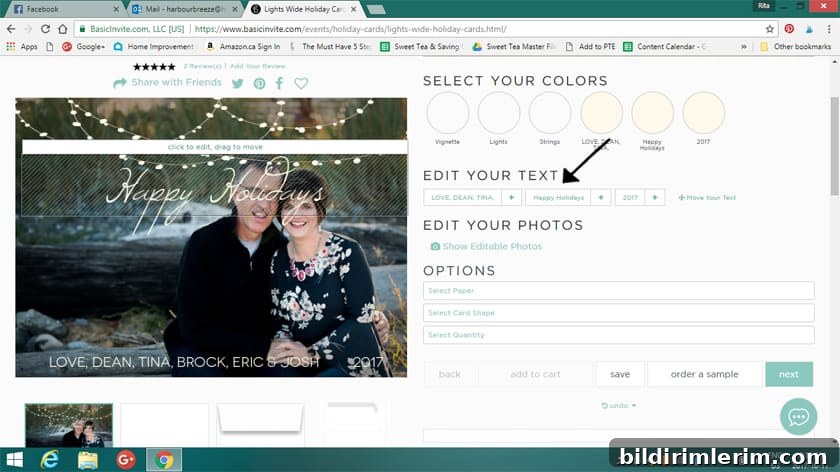
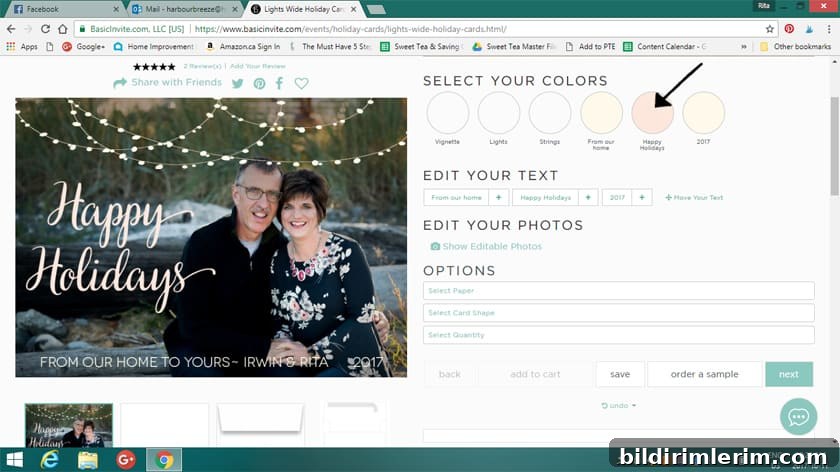
Adjust the font color using the color selector. There are many color choices, allowing you to match fonts or artwork to colors in your photos or outfit—like choosing a cream tone or a soft pink to coordinate with floral accents.
4. Order samples before committing
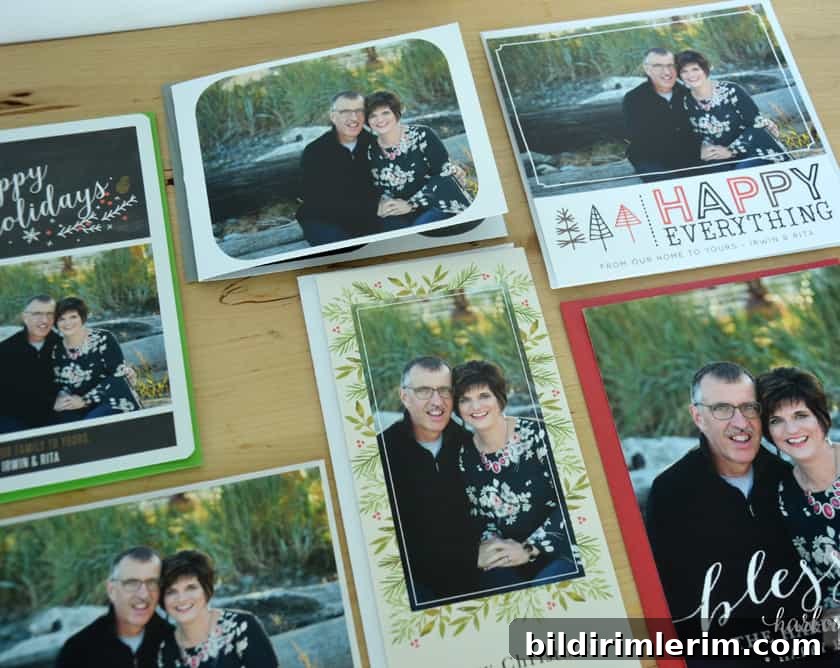
One feature I appreciated was the option to order physical samples before placing a full order. Trying different sizes, paper types, and finishes helped me decide what felt best in hand. The samples arrived on thick, high-quality paper and included colored envelopes so I could see how everything coordinated.
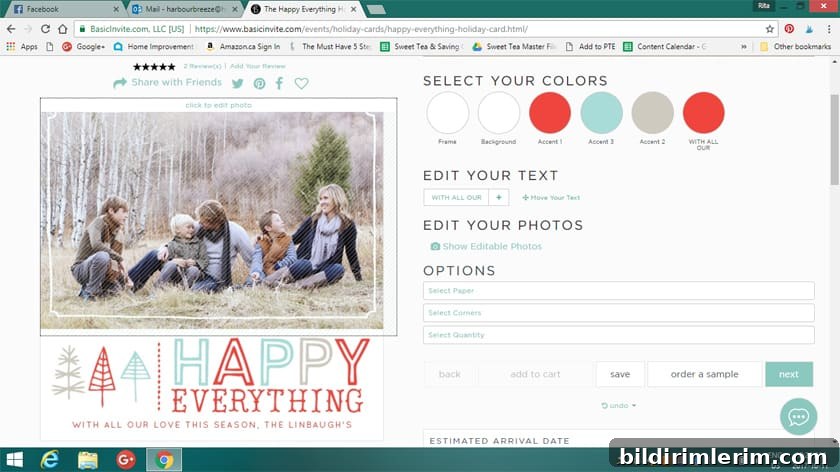
Template
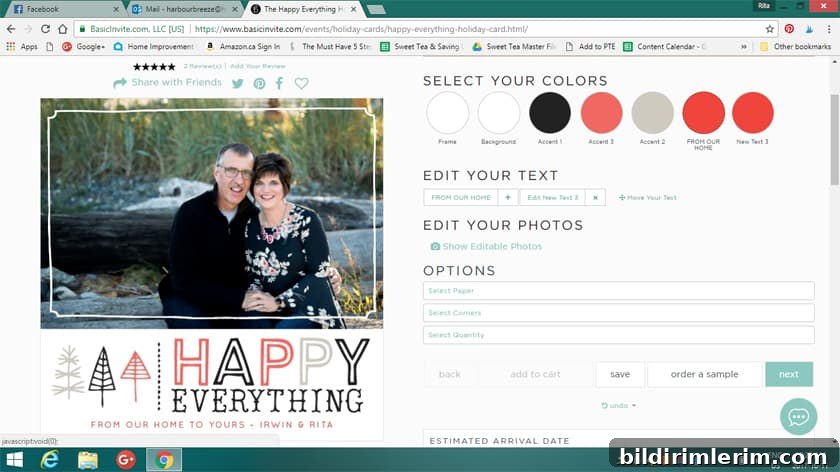
With customization
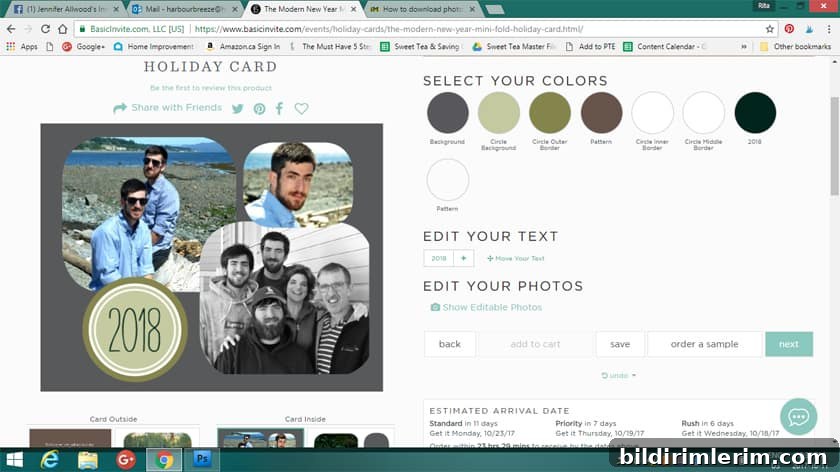
Multiple image template
5. Helpful services and features
Basic Invite offers several useful services to streamline the process:
- Address printing for recipients is available on card orders at no extra cost, saving time on addressing envelopes.
- Over 40 envelope colors let you match or contrast the card for a polished presentation.
- Foil holiday cards are offered in gold, silver, and rose gold, with options for flat or raised foil on select designs.
- There is an address capture tool that lets recipients submit their mailing address via a shared link so you can collect addresses efficiently and store them in your account for use during checkout.
One extra service the site offers is an optional proofreading check of your design to catch typos or errors before printing. I didn’t opt for that service and accidentally left the year as “2018” on one design instead of “2017”—a reminder that a quick proofread can be helpful.
Final tips and current offer
As someone who loves paper and design, I was delighted by the finished samples: the weight and print quality felt premium, and the colored envelopes made the cards feel festive and complete. If you want to experiment, order a few sample types first to confirm your favorite size and finish before placing a full order.
Right now Basic Invite is offering 30% off with coupon code: holi30, which makes it a great time to design and order your holiday cards.
So which design will I choose? I narrowed it down to a few favorites and enjoyed the process of creating a card that reflects our family. If you’re planning to send holiday cards this year, designing them yourself with a user-friendly editor like Basic Invite makes the process simple and enjoyable.