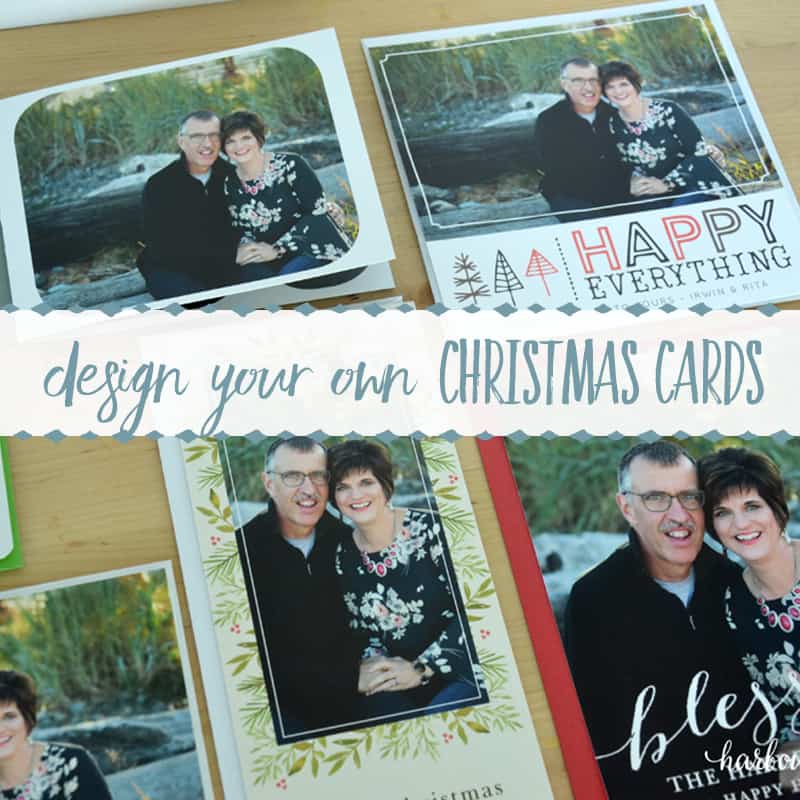
In this article: Find out how to design your own Christmas cards quickly and easily with Basic Invite.
Last week I mentioned that we had professional pictures taken for a special project coming up. Today’s post is that project, and I’m thrilled to finally share it with you!
One of my favorite parts of Christmas is getting cards in the mail from friends and family. It’s the one time of year when everyone seems to catch up on each other’s lives.
Last year we moved (twice), and our Christmas cards never made it out the door amid all the transitions and changes. This year I wanted to start early and make sure they went out on time!
I had never designed my own cards online before, so I was delighted to take Basic Invite for a test drive. I loved the whole experience.
If you’re nervous about getting started, let me show you step by step.
Disclosure: This post was sponsored by Basic Invite. However, all opinions and reviews are honest and my own.
How to Design Your Own Christmas Cards with Basic Invite:
Go to Basic Invite and click –>Holiday.
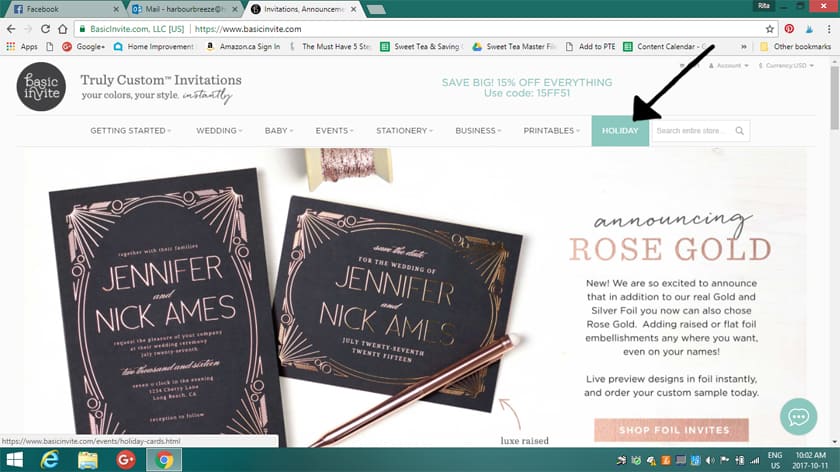
You’ll land on a page with a huge selection of Christmas card designs. Honestly, with over 250 Christmas and holiday card designs, choosing just one was the hardest part. There are so many great options.
Click on any design that catches your eye.
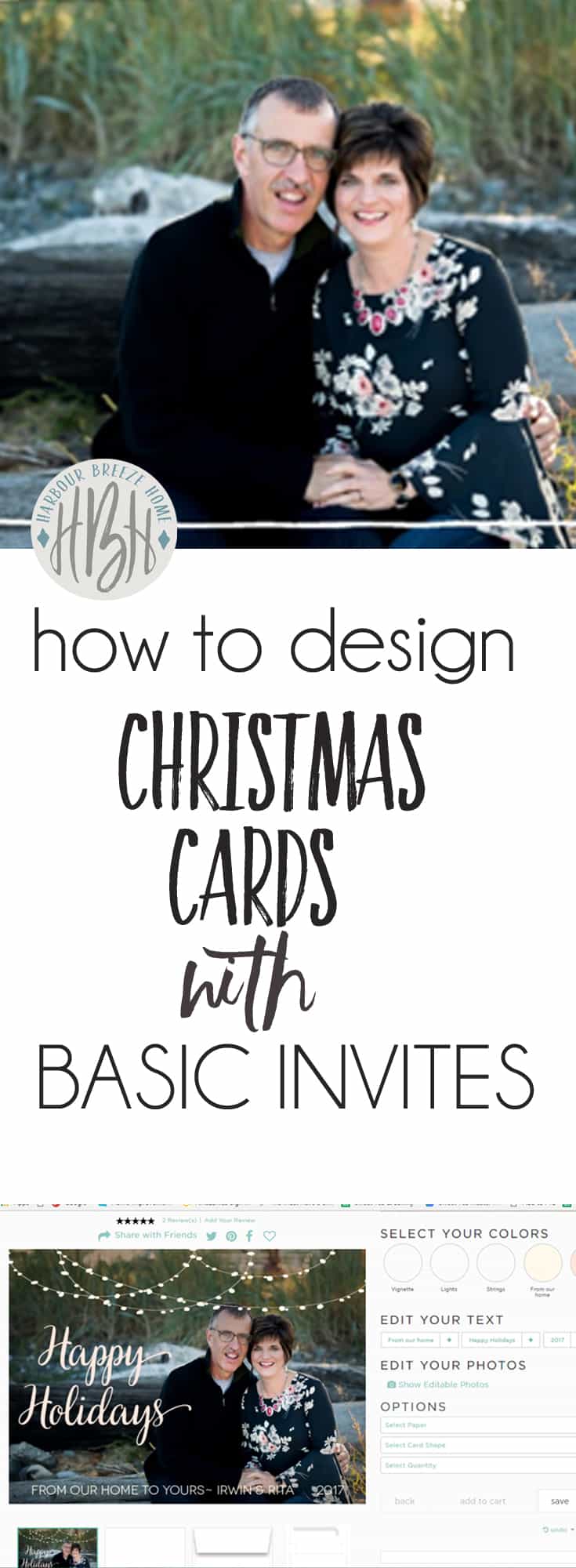
Once the card template opens, you’ll see an “Edit Photos” section on the right.
Click –>Show editable photos. As you drag your mouse over the card template, the editable photo area will turn into diagonal stripes.
At the top of the picture, it says “Click to edit photos.” Click that.
An upload box will pop up. Browse to the file with the picture you want, select it, and click “Open.”
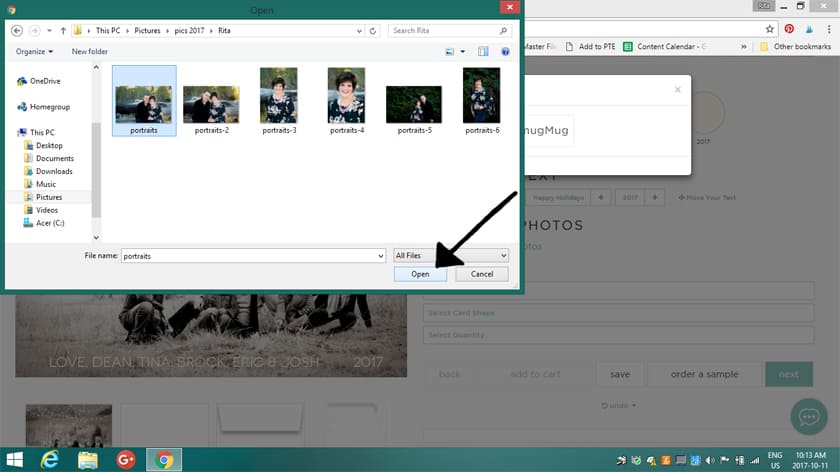
Drag the picture into position until it looks just right.
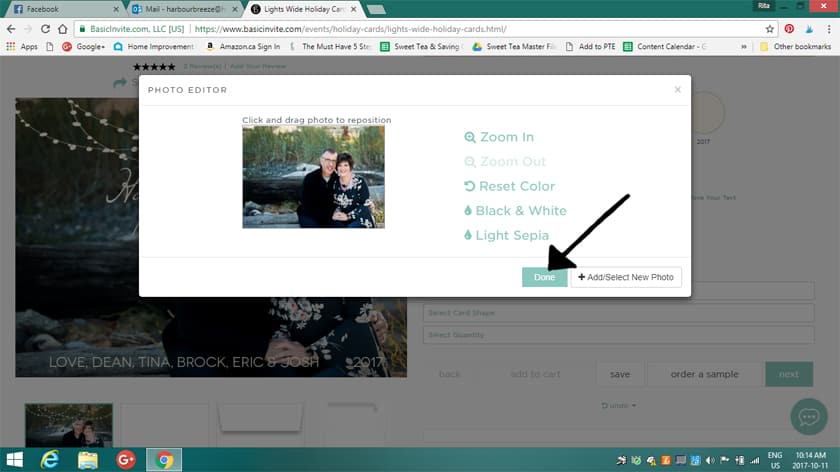
Once it looks right, click –>Done.
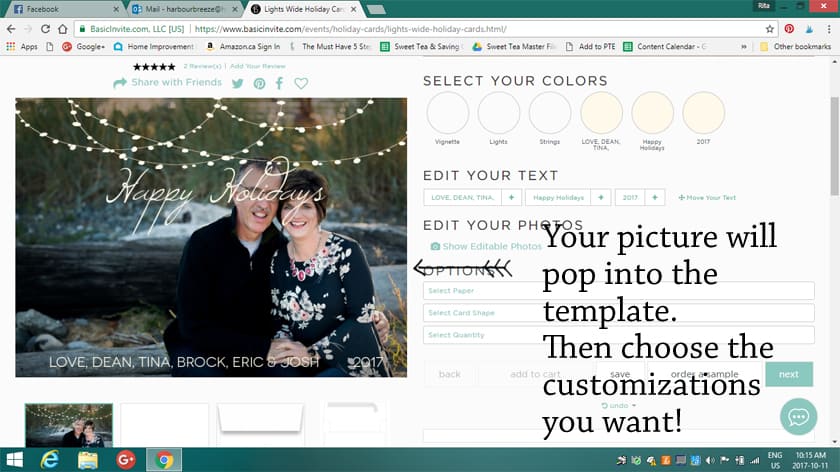
Your picture is now placed in the template, and you can customize the rest.
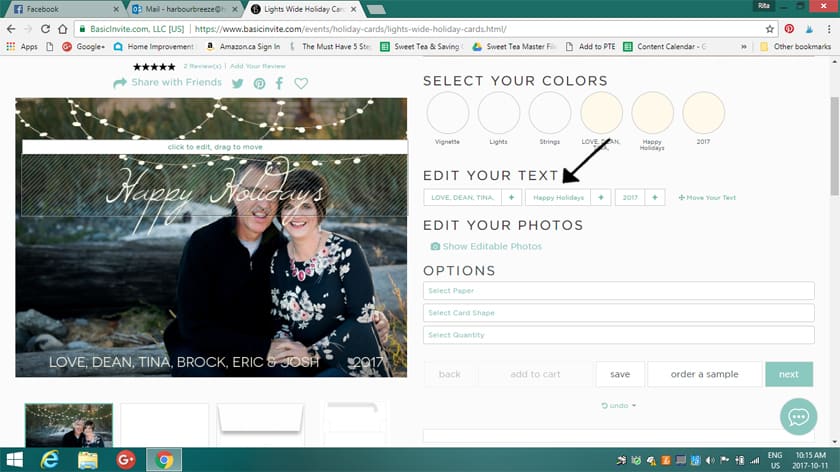
To edit the text or move it, click and drag. When there’s a standard “Love, Dean, Brock, Eric & Josh” greeting, click on it and type whatever you’d like it to say.
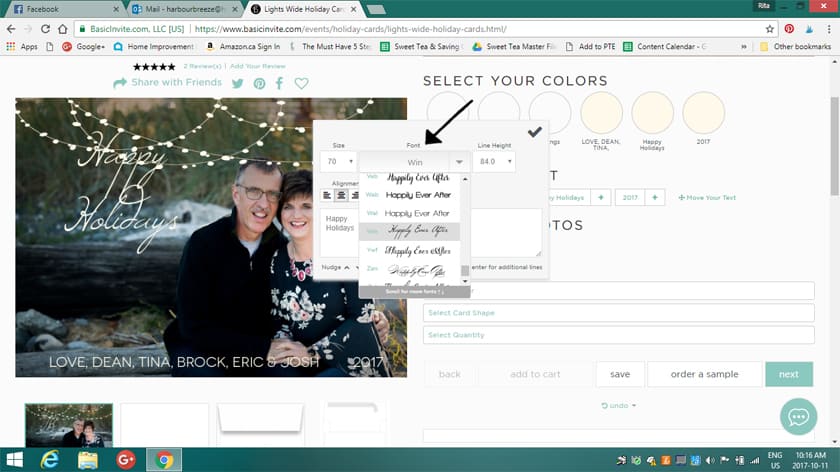
You can change the font, the size, and the spacing between lines.
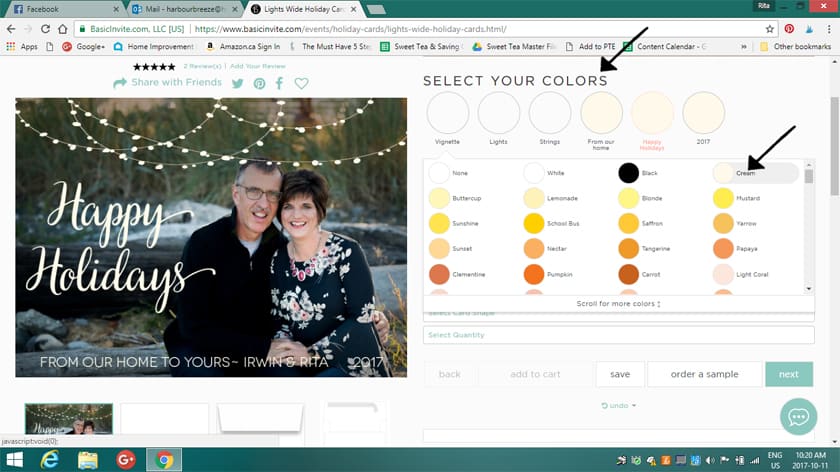
To change the color of the fonts, artwork, and lines, click “Select the Colors.” You’ll have more than 180 choices! Here is the “Happy Holidays” font in cream,
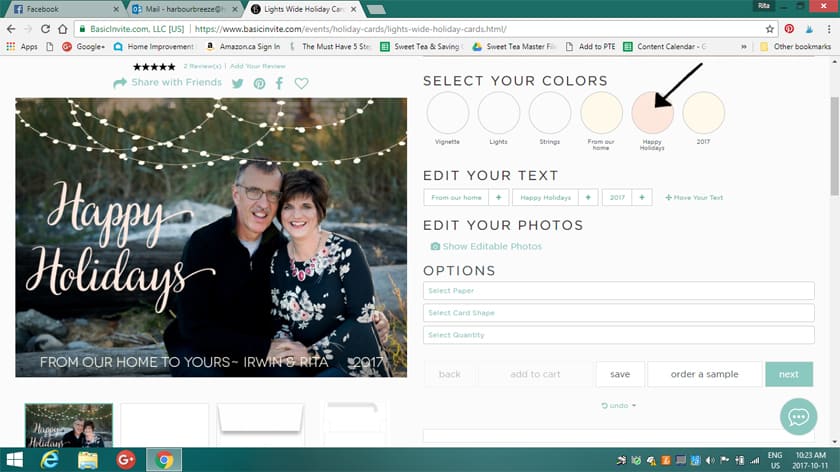
And here it is in light pink (to match the pink flowers on my shirt).
One of my favorite things about this site is that you can order samples of cards before you commit. I tried a mix of different sizes, styles, and paper types.
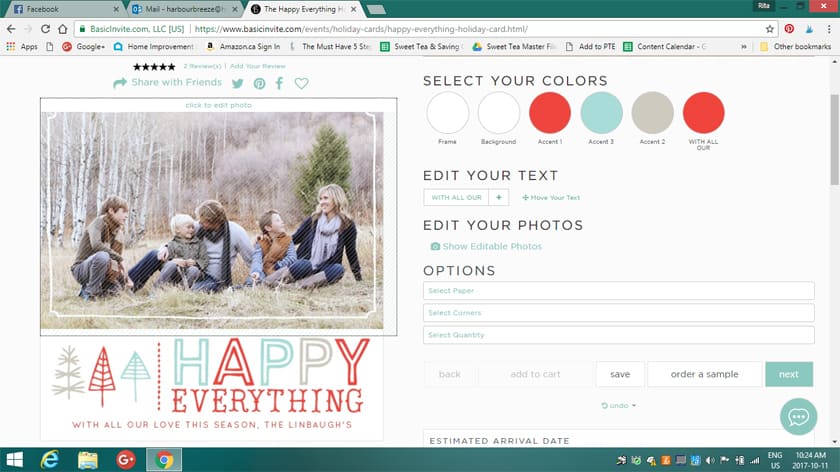
^^Template^^
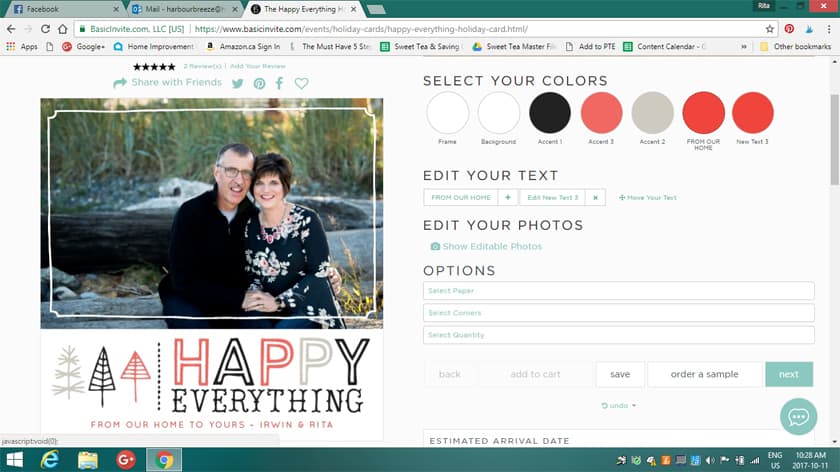
^^With customization^^
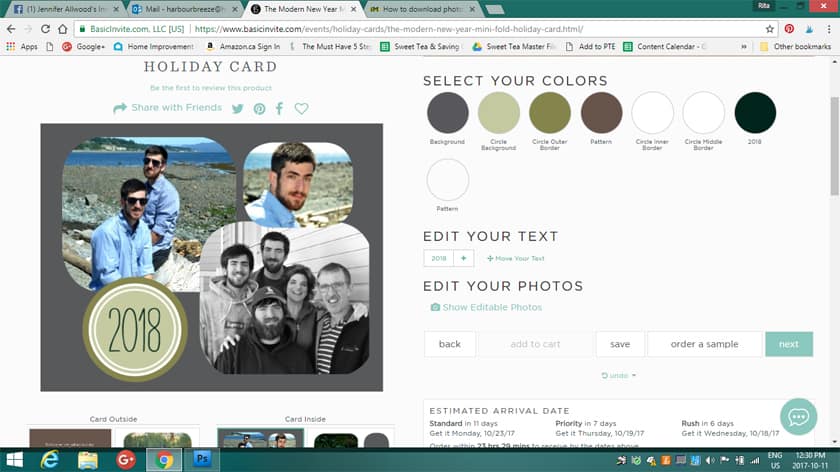
^^Multiple Images Template^^
Basic Invite offers an editing service that checks your designs for mistakes or typos in the text. I didn’t request it, and as a result, you’ll notice I put “2018” on the card above instead of “2017”. Oops! They probably would have caught that if I had asked them to proofread for me.;)
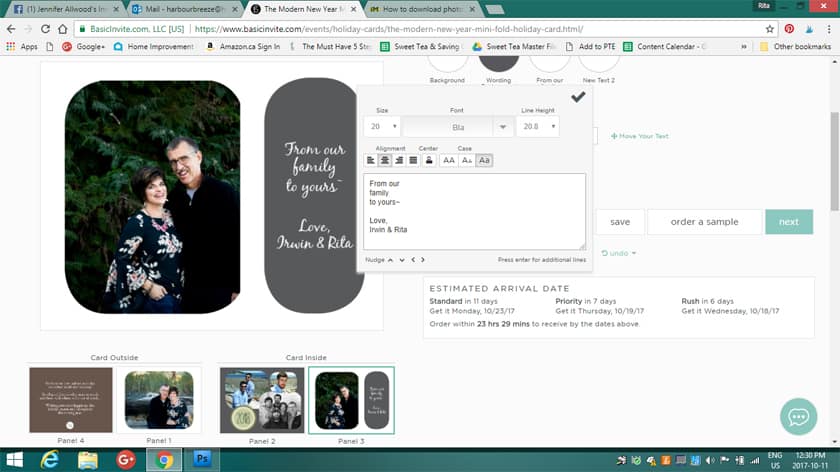
The site also has an address-capturing tool. Customers can share a link on Facebook, Twitter, Instagram, or any other social media to collect friends’ and family members’ addresses. Those addresses are saved to the customer’s account and can be selected during the design process. I think that’s brilliant!
Here are a few more facts that might help if you decide to design your Christmas cards with Basic Invite:
- Basic Invite includes recipient address printing on all Christmas card orders at no extra cost.
- More than 40 envelope colors are available to coordinate with your designs.
- Foil holiday cards come in gold, silver, and rose gold. Customers can choose flat or raised foil on all of Basic Invite’s foil designs.
- Basic Invite doesn’t only offer Christmas cards. They also have a great selection of holiday party invitations and Christmas party invitations.
And, most importantly, right now Basic Invite is offering 30% off with the coupon code: holi30
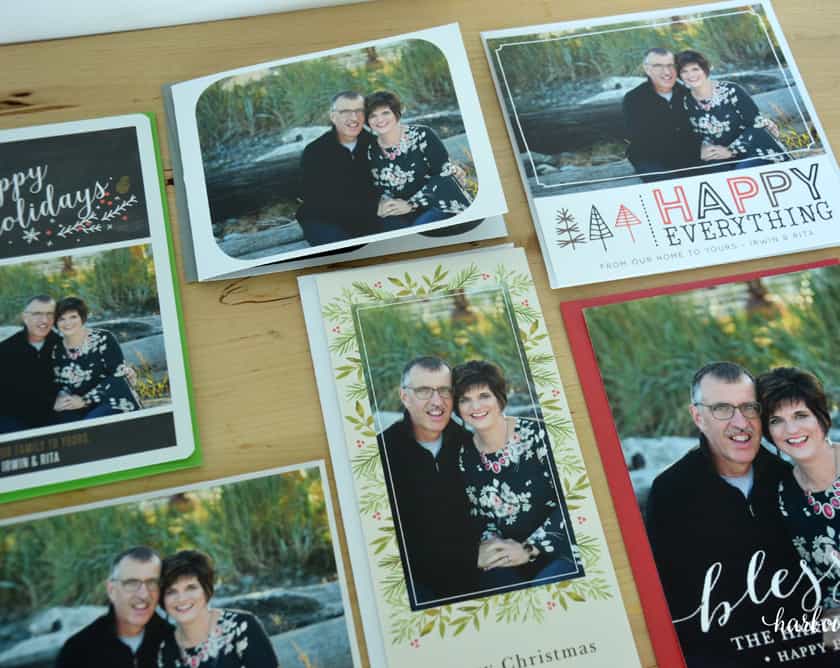
As someone who really loves paper and design, I was thrilled when my samples arrived in the mail. The cards are beautifully made on nice, thick paper. I did a Facebook Live showing all the finished designs with colored envelopes. You can watch it here:
Hmm… Which one should I choose?:)